Replace [AFFILIATE LINK] with your own Shoffi referral link and adapt the copy to your audience. Keep the affiliate disclosure alongside your link.
Clear cookie choices. One place to manage consent.
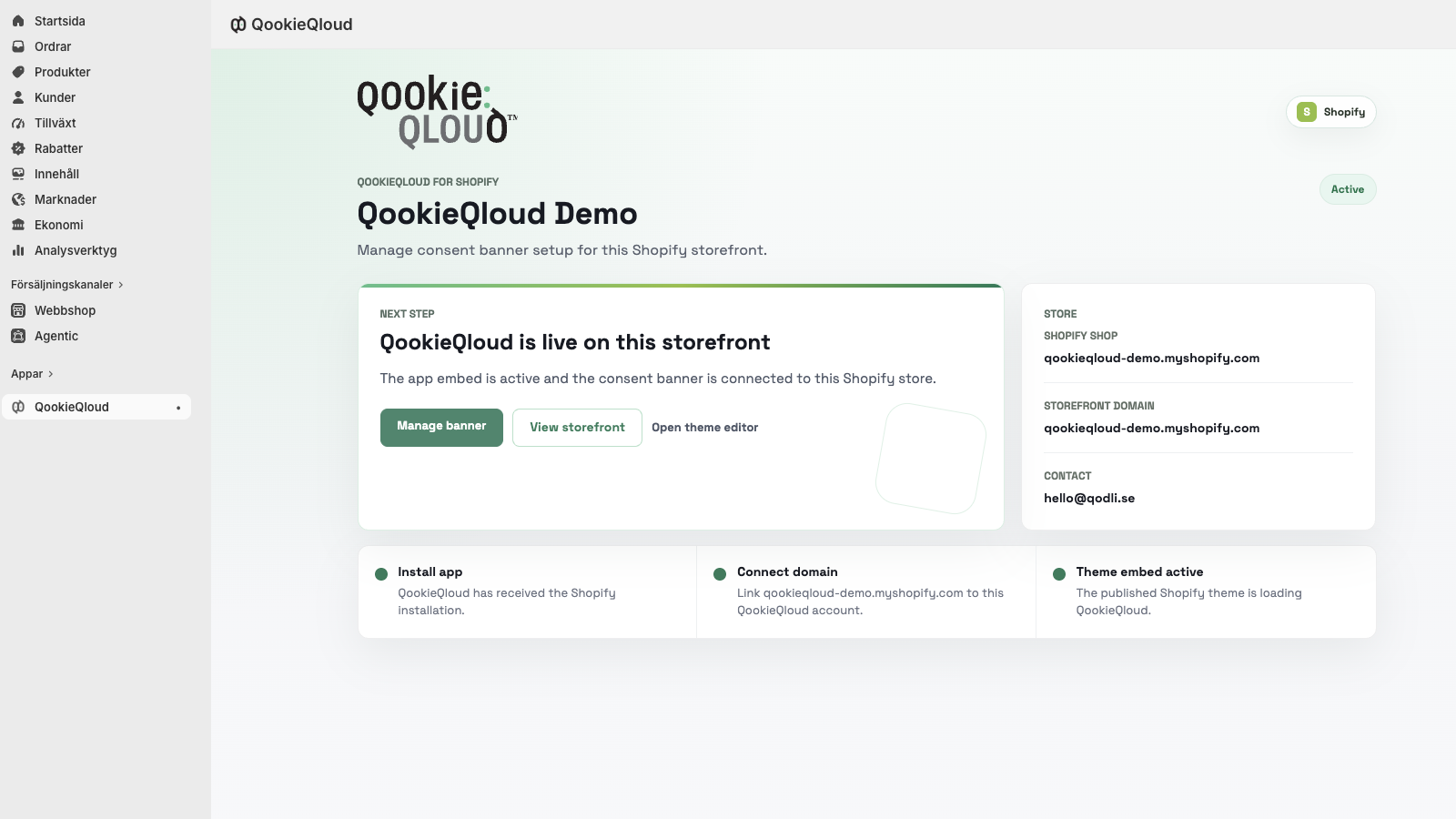
QookieQloud helps Shopify merchants add a storefront consent banner, review cookie categories and keep consent records in one dashboard. It is a useful fit for merchants setting up cookie consent and agencies helping clients launch or maintain their stores.
Short description
Bring cookie consent into your Shopify workflow. QookieQloud adds a storefront consent banner through a theme app embed and brings cookie categories and consent records together in one dashboard. A free plan is available, with additional customization and AI-assisted cookie classification on Premium plans.
Longer description
Give shoppers a clear way to manage their cookie choices with QookieQloud for Shopify. Enable the consent banner through Shopify’s theme editor without editing theme code. Manage cookie categories and consent records from one dashboard, and let visitors reopen their preferences when they want to make a change. Premium plans add features including customizable CSS, your own banner logo, multiple languages and AI-assisted cookie classification. Start with the free plan and check the Shopify App Store listing for the plan that fits your store.
Key talking points
- Theme app embed: activate the storefront banner through Shopify’s theme editor.
- Visitor control: customers can reopen and update their cookie preferences.
- One dashboard: manage cookie categories and consent records together.
- Brand customization: Premium plans offer customizable CSS and your own logo.
- AI-assisted review: Premium plans include cookie classification suggestions to support your review.
Social posts
For store owners
Adding cookie consent to your Shopify store?
QookieQloud gives you a storefront consent banner through Shopify’s theme editor, plus a dashboard for cookie categories and consent records. Visitors can reopen their preferences and update their choices.
A free plan is available. Explore QookieQloud: [AFFILIATE LINK]
Affiliate disclosure: I may earn a commission if you purchase through this link.
For design-conscious merchants
Your cookie banner is part of your storefront experience.
With QookieQloud for Shopify, you can give visitors clear cookie choices and manage consent from one dashboard. Premium plans add customizable CSS, your own banner logo and multiple languages.
Explore the features and available plans: [AFFILIATE LINK]
Affiliate disclosure: I may earn a commission if you purchase through this link.
For agencies
Building a Shopify store for a client? Include cookie consent in your launch checklist.
QookieQloud uses a Shopify theme app embed for the storefront banner and brings cookie categories and consent records into one dashboard. Premium plans also offer AI-assisted cookie classification to support review.
See whether it fits your next project: [AFFILIATE LINK]
Affiliate disclosure: I may earn a commission if you purchase through this link.
Email template
Subject: Cookie consent for your Shopify store
Hi [FIRST NAME],
If you’re reviewing cookie consent for your Shopify store, QookieQloud is an option to explore.
It adds a storefront consent banner through the Shopify theme editor and gives you one dashboard for cookie categories and consent records. Visitors can reopen their preferences and update their choices.
There’s a free plan to get started. Premium plans add features such as custom banner styling, multiple languages, your own logo and AI-assisted cookie classification.
Check the app and current plans here: [AFFILIATE LINK]
Best,
[YOUR NAME]Affiliate disclosure: I may earn a commission if you purchase through this link.
Newsletter snippet
A clearer cookie consent workflow for Shopify
QookieQloud combines a storefront consent banner with a dashboard for cookie categories and consent records. Activate the banner through the Shopify theme editor. A free plan is available; Premium plans add more styling options, multiple languages and AI-assisted cookie classification. Explore QookieQloud: [AFFILIATE LINK]
Affiliate disclosure: I may earn a commission if you purchase through this link.
Official brand assets
Use these original files in your articles, newsletters and social posts. Keep the logo’s proportions and give it enough clear space to remain legible. Product screenshots show example interfaces; available options depend on the merchant’s plan.

Headlines for your creatives
- Clear cookie choices for your Shopify store.
- Make consent part of your store’s design.
- Bring clarity to your cookie review.
Pair a headline with a real product screenshot and a simple call to action, such as “Explore QookieQloud”. If your creative mentions custom styling, multiple languages or AI-assisted classification, label these as Premium features.
Before you publish
- Replace every placeholder and use your own Shoffi referral link.
- Keep the distinction between Free and Premium features clear.
- Use the current Shopify App Store listing for pricing and plan availability.
- Describe concrete features rather than promising guaranteed compliance or business results.
- Only describe personal experience or quote a customer when it is authentic and approved for use.
- Include a clear affiliate disclosure appropriate to your placement.
Plans and features can change. Confirm your campaign’s details against the Shopify listing before publishing.