Learn how to install, configure, and verify the QookieQloud Cookie Consent Plugin for Statamic
The QookieQloud™ Statamic plugin offers a seamless way to enable cookie consent management on your Statamic site — no coding required. You can manage cookies, register domains, and synchronize consent signals with QookieQloud’s backend in just a few steps.
Key Highlights
Automated Consent Management
Domain Registration and Verification
Centralized Management
Supports multiple domains
CMP-compliant consent flows
Auto-injected loading
Installation Steps
1 - Add the package
composer require qodli/qookie-statamic
2 - Publish Config
php please vendor:publish --tag=qookie-statamic
3 - Connect to QookieQloud
If you have already added your domain to app.qookieqloud.com the plugin connects to our API and verifies itself.
Note: Once installed, updates can be made through Statamic controlpanel.
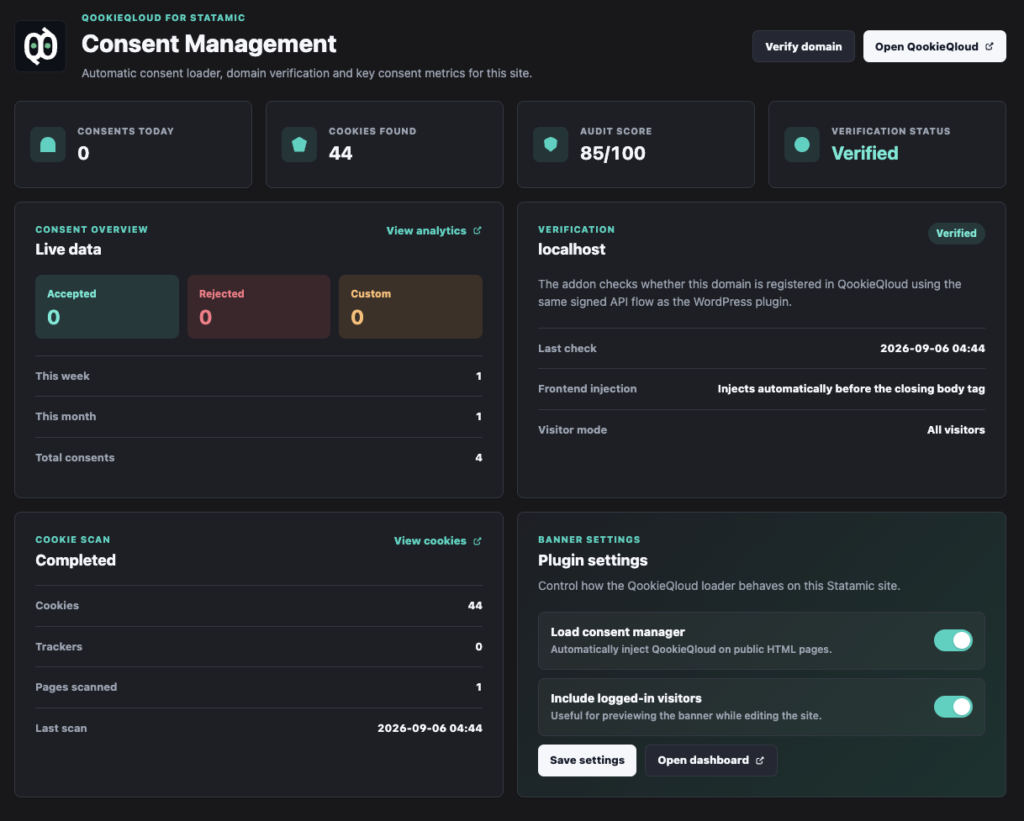
Dashboard from within Statamic CP
There’s a small-stats dashboard included in new version of the Statamic plugin